 How-to
Do Home Battery Storage Systems Need Regular Maintenance?
Last Updated: November 18, 2026
Quick Summary
Battery storage maintenance means monthly visual checks you can do yourself and an annual professional service visit. Check the status light, app state of charge, vents, and surface temperature each month, then have a licensed technician inspect connections and run a capacity test once a year.
- Monthly homeowner checks include the status light, app state of charge, vent cleaning, and surface temperature.
- A licensed technician should inspect electrical connections and run a charge and discharge test annually.
- Book a professional check after any lightning strike, flood, or extended outage.
- Never open the unit, touch battery terminals, or attempt repairs inside the casing.
- Holding a lithium pack at 100% state of charge daily accelerates calendar aging.
Table of Contents
- Why Battery Storage Maintenance Decides Whether Your Backup Works
- Your Home Battery Storage Maintenance Checklist
- Home Battery Inspection Frequency: How Often Is Often Enough?
- Home Battery Safety Tips for Homeowners
- Home Battery Troubleshooting: Reading Alerts and Warning Indicators
- Temperature, Ventilation, and Seasonal Care in Middle Tennessee
- Charging Habits, State of Charge, and Battery Lifespan
- Schedule Your Battery Storage Maintenance Inspection
- Frequently Asked Questions
Why Battery Storage Maintenance Decides Whether Your Backup Works
A home battery storage maintenance guide matters because a battery sitting quietly in your garage is still working, and still wearing out. Because regular checks help keep backup systems ready when the grid fails, understanding how whole home battery backup supports a household makes maintenance part of a larger plan for resilience.
A consistent pattern in backup systems is that units checked regularly hold their capacity, while units that aren't checked quietly lose it.
Here's the core tension. A home battery storage system has no moving parts you can hear, no oil to change, and no belt that squeals. So the failure signs are invisible until they aren't.
Below, we'll walk through what to check, how often, and which tasks should be left to a professional.
Your Home Battery Storage Maintenance Checklist
A practical home battery storage maintenance checklist splits into two rhythms: quick monthly checks you can do yourself, and annual tasks that protect capacity and your warranty. Skipping either one shortens battery lifespan.
Monthly Checks You Can Do in Ten Minutes
- Look at the status light and note its color against the manual's legend
- Open the monitoring app and confirm the state of charge (SOC) reads as expected
- Check for dust or debris on vents and clear it with a dry cloth
- Feel the unit's surface; it should be cool or slightly warm, never hot
- Look for water stains, rust, or moisture ingress near the base and conduit
- Confirm the breaker feeding the battery is still in the on position
- Note any new warning indicators or fault alerts in the app
Annual Tasks That Keep Capacity Intact
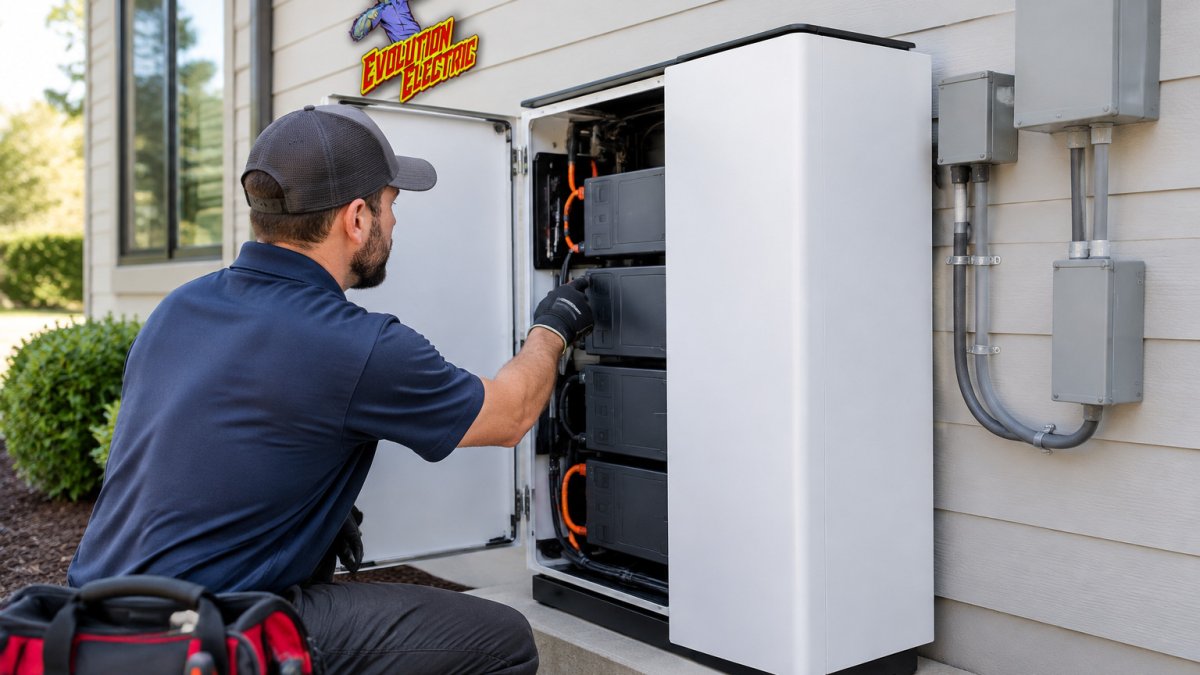
Once a year, a licensed technician should check electrical connections and inspect the system for wear, and can run a charge and discharge test to measure usable capacity.
For a deeper walkthrough of the annual side, see our step-by-step solar battery maintenance guide.
Home Battery Inspection Frequency: How Often Is Often Enough?
Home battery inspection frequency should be monthly for visual checks, annually for professional service, and after any major event such as a lightning strike, flood, or extended outage. Manufacturer recommendations in your warranty document set the legal minimum, so read that first.
Here's a typical schedule:
| Task | Frequency | Who Does It |
|---|---|---|
| Status light and app review | Monthly | Homeowner |
| Vent and surface cleaning | Monthly | Homeowner |
| Visual check for moisture or damage | Monthly | Homeowner |
| Professional electrical inspection | Annually | Licensed technician |
| Capacity and discharge test | Annually | Licensed technician |
| Post-storm or post-outage check | As needed | Technician if any alert appears |
A common mistake is waiting for a fault alert before booking service. By the time a fault alert appears, the problem has usually been developing for weeks.
Home Battery Safety Tips for Homeowners
Home battery safety tips start with one boundary: homeowners should never open the unit, touch the battery terminals, or attempt repairs inside the casing.

What you can safely do:
- Keep the area around the unit clear of boxes, paint cans, and flammable items
- Never block ventilation gaps or stack items against the cabinet
- Keep the unit dry; report any drip, stain, or musty smell immediately
- Mount a working smoke detector in the same room
- Label the battery disconnect switch so anyone in the home can find it
- Record the manufacturer's emergency support number and your installer's service line where anyone in the household can find them
Watch out: covering vents to "tidy up" the garage is the most common cause of overheating we see. The unit needs airflow to shed heat.
Emergency Response: Smoke, Swelling, or Unusual Heat
Lithium-ion home batteries include protective systems, but a damaged or failing cell can still produce smoke, swelling, or heat. The response is different from a typical appliance fire because the energy source cannot simply be unplugged.
If you see smoke, smell a sharp chemical or sweet odor, notice the casing bulging, or feel heat that is uncomfortable to touch:
- Do not open the unit or attempt to cool it with water
- Evacuate the room and keep everyone out
- Call 911 and tell the dispatcher you have a lithium-ion battery storage system; firefighters are trained for this and need to know the chemistry
- If it is safe to do so, shut off the battery disconnect switch and the breaker feeding the unit from outside the room
- Do not re-enter until emergency responders clear the area
- Notify your installer and the manufacturer's support line afterward, even if the event seems minor
For lead-acid batteries, the risks differ: they can vent hydrogen gas and contain corrosive electrolyte, so the same evacuation rule applies, but responders should be told it is a lead-acid system. Never store lead-acid batteries in a sealed closet or near an ignition source.
End-of-Life and Replacement Handling
A home battery that has reached the end of its service life, or one that has been damaged, should not go in household trash or curbside recycling (the EPA). Battery disposal rules vary by location, so check with your local authorities before disposing of a battery.
- Ask your installer or manufacturer about any take-back or recycling options before removal
- Do not remove the unit yourself; removal involves live DC conductors and heavy equipment
- Keep a damaged or swollen battery isolated from combustible material until a professional can collect it
- Get a written record of removal and recycling for your files
For detailed guidance on preventing fire and overheating, read our article on keeping a solar battery safe from fire.
Home Battery Troubleshooting: Reading Alerts and Warning Indicators
Home battery troubleshooting begins with the manual's alert legend, not with guessing. Every system uses different codes, so the same blinking pattern can mean "low charge" on one unit and "communication fault" on another.
What the common alert types usually indicate:
- Solid red or amber light: a fault the system detected internally; stop using backup mode and call service
- Flashing status light: often a communication or connection issue between the battery and inverter
- App shows zero or falling SOC with no load: possible BMS or sensor fault
- Repeated offline notifications: a network or connection error worth documenting with timestamps
- Over-temperature warning: shut the area down, improve airflow, and call a technician
If you own an EcoFlow system and see a connection error, our guide on troubleshooting EcoFlow battery connection errors covers the specific steps.
Temperature, Ventilation, and Seasonal Care in Middle Tennessee
Operating temperature is the variable that most affects battery lifespan, and Middle Tennessee tests it from both directions. Summer heat in a garage can push ambient temperature well above what the unit was rated for. Winter ice storms bring the opposite problem.
What to manage:
- Keep the unit out of direct sun; garages facing west get hottest
- Never enclose the battery in a cabinet without airflow
- In summer, check that cooling fans run and vents are clear
- In winter, confirm the unit stays above its minimum operating temperature
- After any ice storm, inspect conduit and mounting for damage
If you're weighing which systems handle local heat best, our breakdown of backup power for Tennessee heat waves compares the options.
Charging Habits, State of Charge, and Battery Lifespan
Battery lifespan depends heavily on how you cycle it, but the right habits depend on chemistry. Applying lithium-ion advice to a lead-acid bank, or the reverse, is one of the most common maintenance mistakes we see.
Chemistry-Specific Charging Guidance
Lithium-ion (including lithium iron phosphate, or LFP): These systems tolerate partial states of charge well and generally prefer shallow cycles. Many systems let you set a backup reserve and manage cell balancing automatically.
Lead-acid (flooded, AGM, or gel): These batteries want a full charge regularly and dislike being left partially charged, which causes sulfation.
Other chemistries: If you own a flow battery or another less common type, follow the manufacturer's state-of-charge window exactly; generic advice does not transfer.
Habits that protect capacity across chemistries:
- Set the system to prioritize backup reserve over daily cycling
- Let the BMS balance cells by following its recommended charge routine
- Check the app's capacity trend quarterly; a slow decline is normal, a sudden drop is not
- Keep a simple log of any setting changes so service technicians can see what changed
Reading Alerts, Degradation, and Performance Data
App data is only useful if you know what change matters. A few patterns are worth acting on:
- Gradual usable-capacity decline: normal aging. Compare any capacity decline against the warranty's capacity-retention threshold.
- Sudden capacity drop: often a cell, sensor, or BMS issue. Book service rather than waiting.
- State of charge falling with no load: possible BMS or sensor fault; document timestamps and call service.
- Repeated offline or communication alerts: usually a network or inverter connection issue; note the times and check the connection before assuming the battery is failing.
- Over-temperature warnings: stop backup use, improve airflow, and call a technician.
- Charge behavior changes (slower charging, refusing to reach full): often temperature-related or a sign of cell imbalance; a technician can test against a meter.
Watch out: treating every alert as a battery failure leads to unnecessary service calls, while ignoring a sudden capacity drop can leave you without backup when you need it. Match the response to the pattern.
The U.S. Department of Energy publishes general guidance on home energy storage that's worth reading alongside your manual.
Schedule Your Battery Storage Maintenance Inspection
A battery storage maintenance routine only works if someone actually performs the annual service.
If your system is due, or you've seen an alert you don't recognize, we can help.
Book a maintenance inspection through our Nashville backup generator and battery service page, or take our 60-second quiz for a free quote.
Your backup power is only as reliable as the last time someone checked it. Don't find out during an outage.
Frequently Asked Questions
Do home battery storage systems need regular maintenance?
Yes. Even sealed lithium systems need periodic attention. Battery storage maintenance includes checking the battery management system status, confirming ventilation and airflow around the unit, inspecting electrical connections, and reviewing state of charge trends. Most manufacturers recommend a homeowner walkthrough monthly and a professional inspection once a year. Skipping these checks shortens battery lifespan and can leave you without backup power when an outage hits.
How often should you inspect a home battery system?
A practical home battery inspection frequency is monthly for visual and app-based checks and annually for a licensed electrician's full assessment. Systems installed outdoors or in unconditioned garages benefit from a second seasonal check before winter ice storms and summer thunderstorm season. If your system shows fault alerts or a drop in usable capacity, schedule an inspection immediately rather than waiting for the next cycle.
What should you do if a home battery shows a warning or error?
Start with home battery troubleshooting basics: note the exact alert code, check the manufacturer's app for a plain-language explanation, and confirm the unit has airflow and is not overheating. Do not open the enclosure or reset breakers repeatedly. If the alert persists after a power cycle recommended in the manual, call a licensed electrician. Persistent fault alerts often point to voltage irregularities or a failing component that only a technician should diagnose.
Can you clean a home battery yourself, and when should you call a professional?
You can safely dust the exterior and clear debris or stored items away from vents, but never open the cabinet or spray liquids near the unit. Home battery safety tips draw a clear line: homeowner work is visual and external, while anything involving electrical connections, moisture ingress, or internal components belongs to a licensed electrician. Call a professional if you see corrosion, hear unusual humming, smell burning, or notice the enclosure is warm to the touch.