 how-to
How to Maintain Solar Battery Systems Step by Step
Quick Summary
How to maintain solar battery systems comes down to a few habits: inspect the battery bank for damage, keep terminals clean and vents clear, keep the room within the temperature range your battery chemistry needs, and log state of health monthly. Stop and call a licensed electrician if you see swelling, leaks, or burn marks.
- Check the monitoring app monthly for alerts, state of charge, and state of health.
- Keep the battery out of hot garages and damp basements, since heat and moisture shorten life.
- Vacuum vents and fan intakes and keep the clearance the manual requires around the unit.
- Use only a dry cloth or mild soap and water, never a pressure washer or solvent, on the battery.
- Call a licensed electrician if swelling, odor, or repeated faults appear.
Table of Contents
- Why Solar Battery Maintenance Matters for Outage Backup
- Gather Your Tools and Set Up a Safe Work Area
- Step 1: Run a Visual Inspection of the Battery Bank
- Step 2: Clean Terminals, Connections and Ventilation Paths
- Step 3: Check Temperature, Charge Settings and State of Charge
- Build a Solar Battery Maintenance Schedule You Will Actually Follow
- Troubleshooting Reduced Capacity and Warning Alerts
- When to Stop DIY Work and Call a Licensed Electrician
- Frequently Asked Questions
Why Solar Battery Maintenance Matters for Outage Backup
Last Updated: October 27, 2026
Your solar battery is only useful when the power goes out, so learning how to maintain solar battery systems pays off the moment you need backup. Most homeowners in Middle Tennessee buy a battery for backup, then forget about it until a storm knocks out the grid.
Watch out: Never leave a battery in a hot garage or a damp basement. Heat and moisture shorten life faster than almost anything else.
Gather Your Tools and Set Up a Safe Work Area
Before you touch anything, prepare. A few minutes of setup prevents most accidents.
You will need:
- A flashlight or headlamp
- Insulated gloves and safety glasses
- A soft brush and a dry microfiber cloth
Set up your work area the same way every time:
- Turn off the inverter and any switches the manual specifies
- Confirm the battery shows no active charging or discharging
- Keep children and pets out of the space
Many people skip the manual. Don't. Every brand sets its own shutdown order, and getting it wrong can damage the unit.
Step 1: Run a Visual Inspection of the Battery Bank
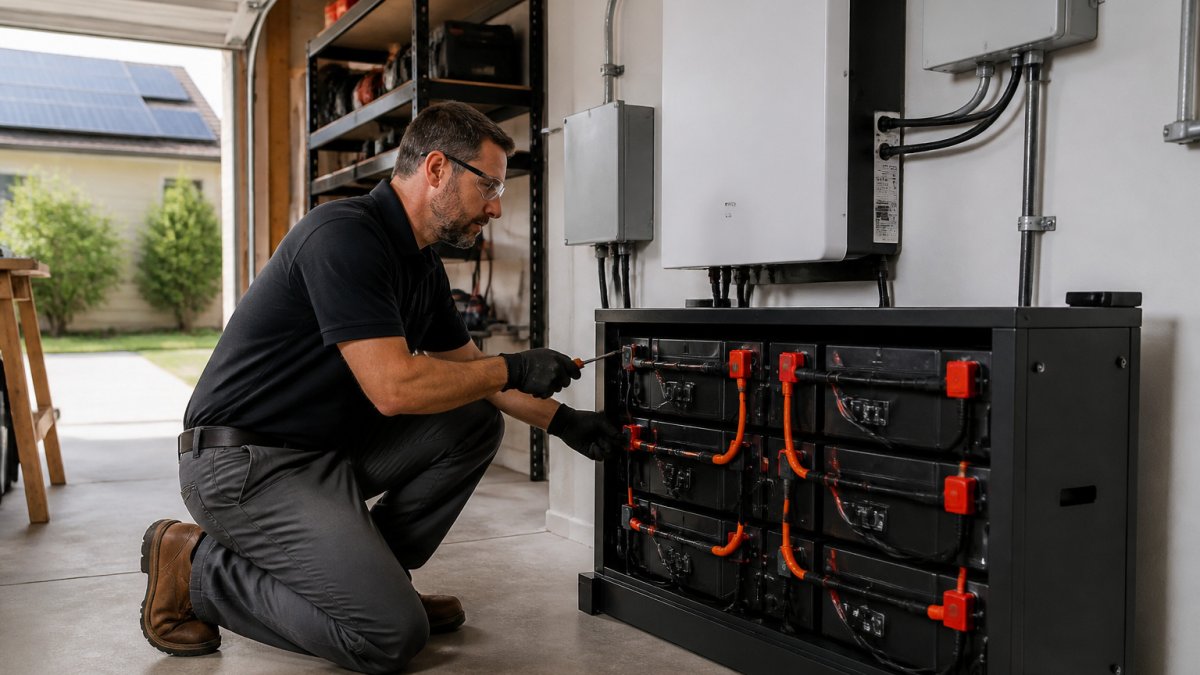
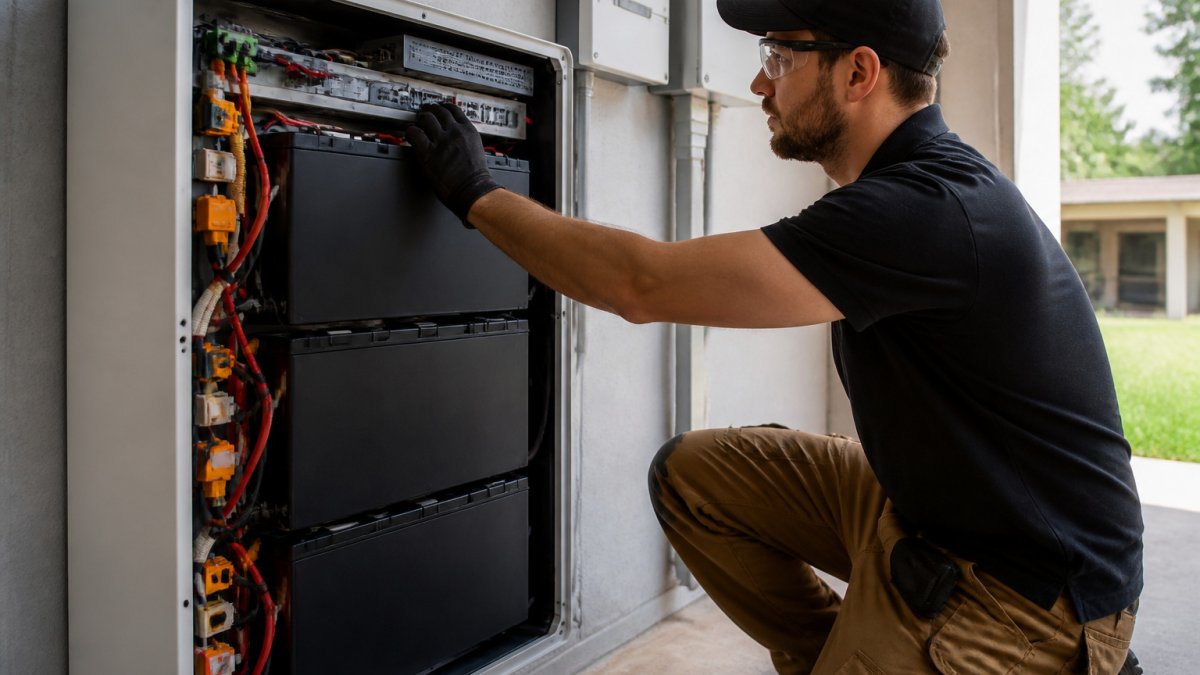
Start by looking before you touch. A visual check takes about 10 minutes and catches most early problems.
Check for these signs:
- Cracks, bulges, or warping in the casing
- Burn marks, melted plastic, or a sharp chemical smell
- Standing liquid or moisture around the base
A common mistake is ignoring a slightly swollen casing. Lithium-ion and lead-acid batteries can both swell when they are damaged or overheated.
Next, check the monitoring app or display for alerts. Note the state of charge, state of health, and any error codes.
Step 2: Clean Terminals, Connections and Ventilation Paths
Dirt, dust, and corrosion raise resistance. Resistance wastes energy and generates heat.
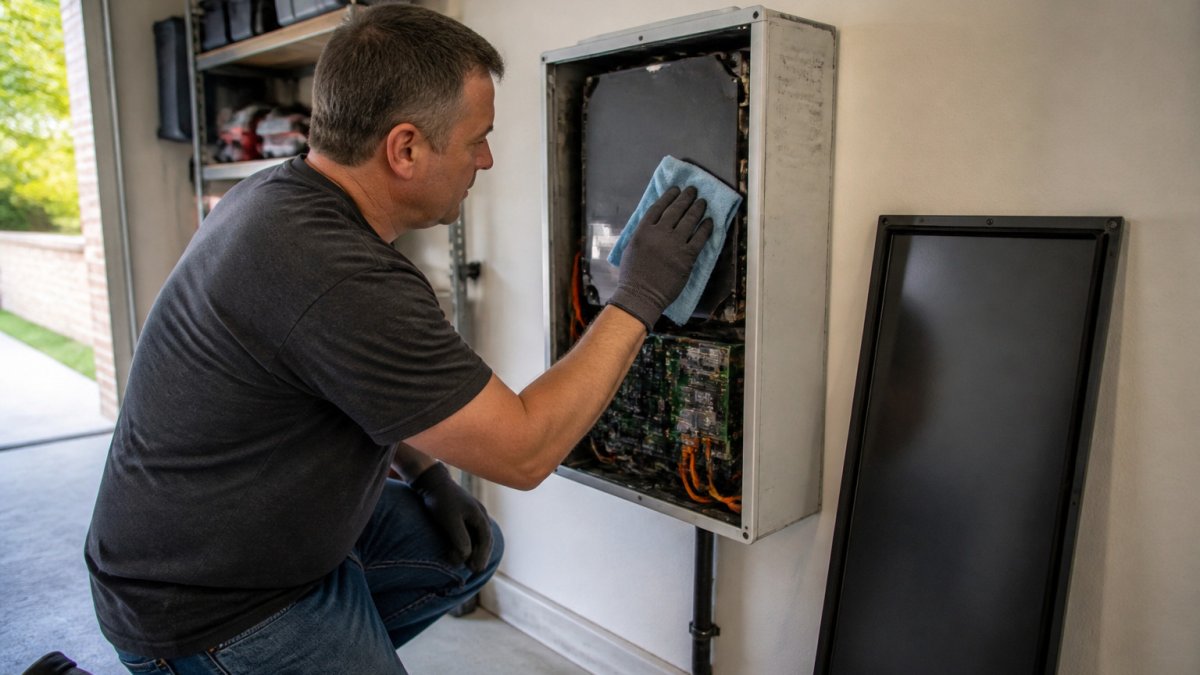
Clean in this order:
- Vacuum dust from the vents, fan intakes, and the area around the unit
- Wipe the outside casing with a dry cloth. Use only mild soap and water if the grime is stubborn, and let it dry fully.
- Inspect each terminal and connector. Look for green or white buildup.
Ventilation matters as much as cleanliness. Keep at least the clearance the manual requires around the unit. Do not store boxes, paint, or fuel against it.
Watch out: Never use a pressure washer, water hose, or solvent on a battery or its electrical connections. Water and electricity do not mix, and solvents can damage the casing.
Step 3: Check Temperature, Charge Settings and State of Charge
Settings do more to shorten or extend battery life than any cleaning task. The right numbers depend on your battery chemistry, so check your manual first, then use the guidance below as a sanity check.
Temperature targets by chemistry
Most residential batteries are happiest in a narrow band. A common pattern is:
- Lithium iron phosphate (LFP): roughly 50°F to 95°F for discharge, with charging best kept above about 32°F. Many manufacturers block charging below freezing to prevent lithium plating.
- Other lithium-ion (NMC): similar upper range but often more sensitive to heat; sustained operation above roughly 85°F accelerates capacity loss.
- Flooded lead-acid: roughly 50°F to 80°F. Every 15°F above 77°F can cut service life substantially, which is why lead-acid banks in hot garages age fast.
If the room drifts outside these bands, fix the room before you touch the settings. Insulation, shade, and ventilation are cheaper than replacement cells.
Charge and discharge limits that actually matter
- Maximum charge voltage/current: Match the manufacturer's profile exactly. Raising it for faster recharge adds heat and shortens cycle life.
- Depth of discharge (DoD): This is the percentage of capacity you use before recharging. Lead-acid banks are commonly kept to about 50% DoD for longevity; many lithium systems are rated for 80% to 100% DoD but still age faster at deeper cycles. Set your reserve accordingly.
- Minimum state of charge (SoC): For backup-focused systems, many installers keep a reserve floor so the battery is never fully drained during normal daily cycling.
How to read the numbers on your monitoring app
State of charge tells you how full the battery is right now. State of health tells you how much capacity it has left compared with when it was new.
Record these three numbers on the same day each month. A slow decline is normal aging. A sudden drop, or a state of health that falls faster than the cycle count suggests, points to a problem worth investigating.
Take our 60-second quiz for a free quote today! →
Firmware and BMS updates
Battery management system (BMS) firmware controls how the battery charges, balances cells, and reports faults. Install updates only when the manufacturer recommends them, and note the version number in your service log. A skipped update can leave you with outdated charge profiles; an unauthorized one can void coverage.
Temperature and charge settings have a bigger effect on battery life than cleaning, so the key limits are summarised below.
| Chemistry | Temperature target | Note |
|---|---|---|
| Lithium iron phosphate (LFP) | About 50°F to 95°F | Charging best kept above about 32°F |
| Other lithium-ion (NMC) | Similar upper range | Sustained operation above about 85°F accelerates capacity loss |
| Flooded lead-acid | About 50°F to 80°F | Every 15°F above 77°F can cut service life substantially |
| Sealed lead-acid (AGM/GEL) | Similar to flooded | More vulnerable to heat-driven dry-out |
Build a Solar Battery Maintenance Schedule You Will Actually Follow
A checklist only works if you use it. Here is a simple schedule that fits most households:
Monthly (10 minutes):
- Check the monitoring app for alerts
- Confirm state of charge is in your normal range
- Look for dust on vents and fans
Every three months (30 minutes):
- Visual inspection of casing, cables, and terminals
- Vacuum vents and clear the area around the unit
- Check ambient temperature
Twice a year (one hour):
- Full shutdown and terminal inspection
- Tighten connections to spec
- Review charge and discharge settings
- Check firmware and record state of health
Once a year:
- Review your warranty and service records
- Ask a licensed electrician to test the system under load
Put the monthly and quarterly tasks on your phone calendar. Tie the half-year check to a date you already remember, like daylight saving time. Consistency beats perfection.
Troubleshooting Reduced Capacity and Warning Alerts
A warning alert is not automatically a failure, and reduced capacity is not automatically a defect. The skill is telling normal aging apart from a problem you can fix and a problem that needs a licensed electrician.
First, establish what "normal" looks like
Before you can judge a problem, you need a baseline. Most lithium batteries lose a small percentage of capacity per year under normal use; lead-acid banks lose capacity faster, especially in warm rooms. Check your manual or warranty for the expected degradation curve.
A common pattern worth investigating: Learn how long a home battery should realistically last during an outage to judge whether your unit is underperforming.
- Capacity drops sharply over a few weeks rather than months
- State of health falls much faster than cycle count would predict
- The battery drains faster than your usual load should allow
- The same alert returns after a reset
A diagnostic sequence you can run safely
Work through these steps in order, and stop at the first one that resolves the issue:
- Record the exact alert text and code before resetting anything. Screenshot the app.
- Check ambient temperature. Over-temperature and under-temperature alerts are the most common and often clear once the room is back in range.
- Inspect cables and terminals for looseness or corrosion, with the system shut down per the manual.
- Confirm the inverter and battery are communicating. Communication errors often trace to a loose data cable or a firmware mismatch.
- Restart in the manual's shutdown order. Out-of-order restarts can trigger false faults.
- Check for a firmware update the manufacturer recommends for your model.
If the alert clears and does not return, log what happened. If it returns, or if you see swelling, leaking, a chemical smell, or burn marks, stop and call a licensed electrician.
Alerts that are usually safe to reset
- Transient over-temperature that clears when the room cools
- Communication errors that resolve after a cable check and restart
- Low state of charge caused by an unusually heavy load day
Alerts that need a professional
- Cell imbalance that persists after a full charge cycle
- Repeated over-voltage or under-voltage faults
- Any alert accompanied by physical damage, odor, or heat
- Ground-fault or insulation-fault warnings
When to plan for replacement
If state of health has fallen to the point where the battery no longer covers your critical loads through a typical outage, maintenance has done its job and replacement is the next step. Review your warranty terms first, some coverage is prorated by age or tied to documented maintenance, and ask your installer about recycling options for the old bank before you buy.
Battery recycling and safety guidance
When to Stop DIY Work and Call a Licensed Electrician
Take our 60-second quiz for a free, personalized quote on a whole-home backup system.
Frequently Asked Questions
How often should you maintain a solar battery system?
Plan a visual inspection every three months and a fuller maintenance check once a year. Homes in Middle Tennessee face hot summers and winter ice storms, so check the battery area after severe weather and after any extended outage. Keep a simple log of dates, readings and anything unusual. A consistent schedule catches loose connections, dust buildup and temperature problems before they reduce how long your battery can carry your home through an outage.
Do solar batteries need regular maintenance?
Yes. Most modern home batteries are largely self-managing through their built-in battery management system, but they still depend on a clean, dry, ventilated location, tight electrical connections and correct charge settings. Routine checks catch problems that the software cannot see, such as corroded terminals or blocked airflow. Review your manufacturer's maintenance guidance and warranty terms, since some warranties require documented periodic inspections.
How can I make my solar battery last longer?
Keep the battery in a cool, dry, stable environment, avoid repeated deep discharges, and use the charge and discharge settings your installer recommends. Clean dust and debris from vents and terminals, and keep the unit away from direct sun and heat sources. Install and update firmware when the manufacturer releases it. Extending battery life to maximize your backup coverage is mostly about avoiding stress, not about complicated procedures.
When should I call a professional to service a solar battery?
Call a licensed electrician for any work involving live conductors, main breaker or service panel connections, torque on high-current terminals, or damaged wiring. Also call a professional if the unit shows a persistent fault code, smells of burning, gets unusually hot, or loses capacity quickly. Generators of Nashville by Evolution Electric can inspect, troubleshoot and service your system. Current service pricing depends on the system and the work involved, so request a quote through our website.
Maintenance keeps your battery ready for the next outage. Start with the monthly check this week, and your system will be in better shape when the next storm arrives.