 how-to
How to Protect Home Electronics During a Power Outage?
Quick Summary
To protect home electronics during a power outage, unplug sensitive devices before a storm, use surge protectors matched to each device, and add a UPS where you need battery runtime. Wait for stable power before reconnecting gear. Most damage comes from surges and brownouts, not the outage itself.
- Most electronics damage comes from surges and brownouts, not from the outage itself.
- Unplug sensitive devices from wall outlets when a storm is forecast, before lightning gets close.
- Surge protectors guard against spikes but do nothing when the power drops out.
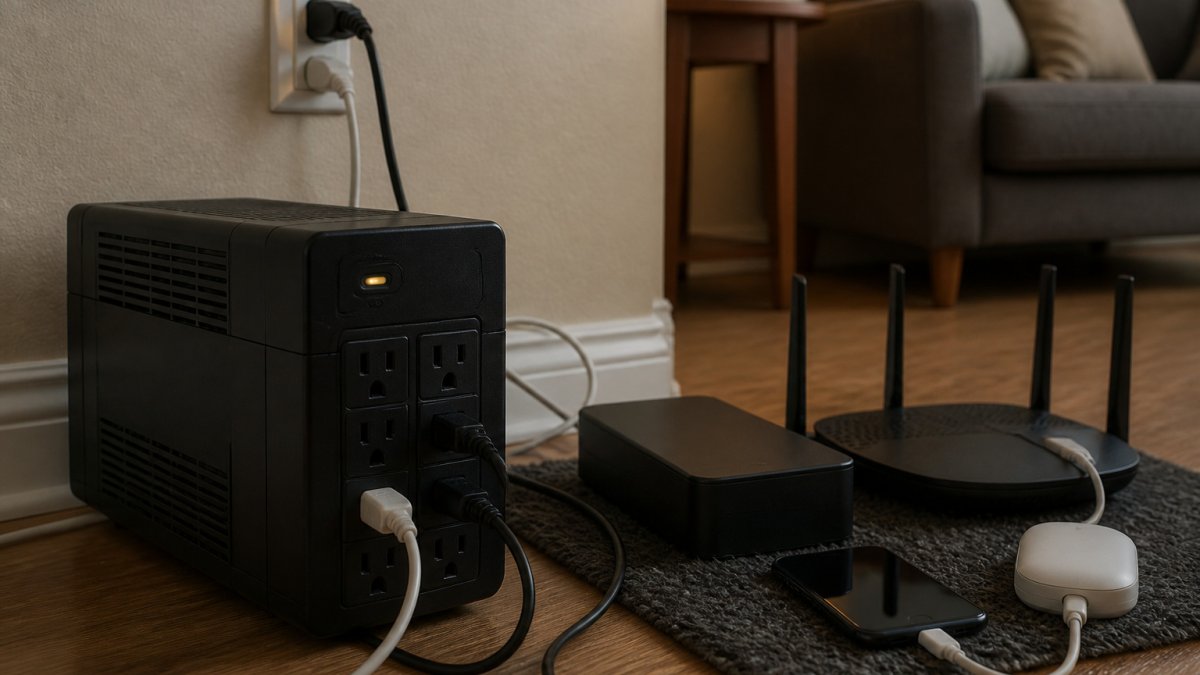
- Use a UPS for computers and routers so they can run briefly and shut down cleanly.
- Wait at least 5 to 10 minutes after power returns, then reconnect devices from least to most sensitive.
Table of Contents
- Why Outages and Surges Damage Electronics
- Step 1: Build Your Power Outage Electronics Checklist
- Step 2: Unplug Sensitive Devices Before the Storm Hits
- Step 3: Choose Surge Protection by Device and Risk
- Surge Protector vs. UPS for Home Electronics: Which Do You Need?
- Step 4: Size and Select the Best UPS for Home Electronics
- Step 5: Restart and Reconnect Safely When Power Returns
- Book a Whole-Home Backup Assessment Before Your Next Outage
- Frequently Asked Questions
Last Updated: October 29, 2026
Power outages happen more often than most homeowners expect, and they rarely arrive alone. When the lights go out, the risk to your electronics often comes from the moment power returns, when a sudden surge can fry a television, a computer, or a router in an instant.
Here is the core point: most electronics damage happens from surges and brownouts, not from the outage itself. Mitigating these electrical fluctuations is a primary step in safeguarding your home, though maintaining a reliable supply of essential blackout gear remains equally critical for sustaining operations when the grid fails.
Why Outages and Surges Damage Electronics
A power outage is a loss of electricity. A surge is an extra burst of voltage. Surges often hit the moment power comes back on, when the grid rebalances.
Two things make this risky for home electronics:
- Voltage spikes can exceed what a device's power supply is built to handle.
- Repeated cycling wears down components that switch on and off with the grid.
Sensitive gear like computers, gaming systems, and networking equipment is the most vulnerable, so keep that in mind as you build a plan to protect home electronics.
Step 1: Build Your Power Outage Electronics Checklist
Start with a simple list of what needs protection and what needs to stay running. Write it down before the next storm season.
- List every device you want protected (TVs, computers, gaming consoles, routers, modems)
- Mark which devices must stay online (router, modem, work laptop, medical equipment)
- Note which devices can safely sit unplugged for hours
Keeping this list on paper helps when the power is out and your phone battery is low.
Step 2: Unplug Sensitive Devices Before the Storm Hits
The simplest protection is disconnection. When a storm is forecast, unplug sensitive electronics from wall outlets. A surge can't damage a device that isn't plugged in.
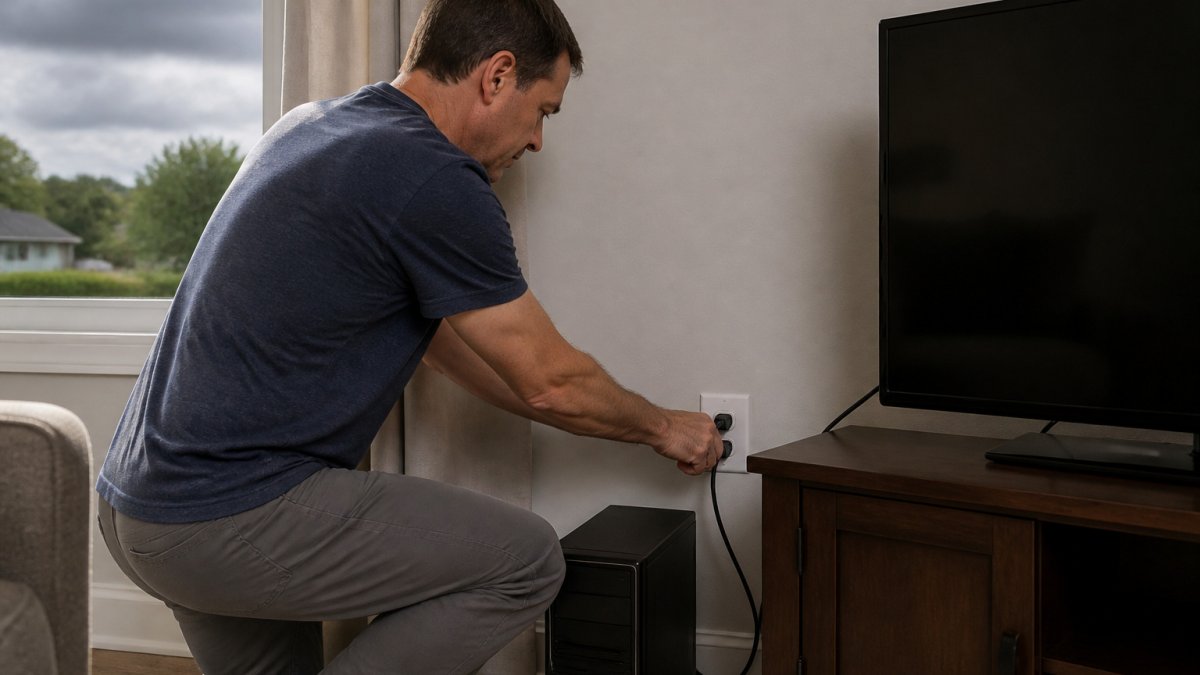
Watch out: unplugging a surge protector does not replace unplugging the device itself, because the power strip can still carry a spike into a connected item.
Do this before the storm arrives, not during it. Once lightning is close, unplugging can be dangerous.
Step 3: Choose Surge Protection by Device and Risk
Not every device needs the same level of protection, and not every surge protector is built the same. Match the protection to the gear, and read the ratings on the box rather than the marketing copy.
What the ratings actually mean
- Joule rating: the total energy the protector can absorb before it fails. Higher is better, but a 1,000-joule strip and a 1,000-joule whole-home device are not interchangeable, the whole-home unit is designed for a different surge path.
- Clamping voltage: the voltage at which the protector starts diverting excess energy. Lower clamping voltage (often expressed as 330V or 400V) means it reacts sooner. A protector rated at 500V or higher lets more voltage through to your device.
- Response time: how fast the protector reacts to a spike. Look for a rating in nanoseconds; slower response lets more of the spike reach the device.
Match protection to the device
- Televisions and gaming systems: a point-of-use surge protector with a joule rating in the high hundreds to low thousands and a low clamping voltage is usually enough. Plug the TV and console into the same protector, but do not daisy-chain another strip off it.
- Desktop computers and work equipment: a surge protector alone guards against spikes but does nothing when the power drops. Pair it with a UPS so the computer can ride through short outages and shut down cleanly.
- Routers, modems, and network gear: protect these first, since losing them cuts off your connection and can take hours to restore. A small UPS sized for the router and modem keeps the network alive through brief outages.
Point-of-use versus whole-home protection
A point-of-use surge protector guards the devices plugged into it. A whole-home surge protector installs at the service panel and diverts large surges before they travel through the wiring. The two work together: the whole-home device handles the big event, and point-of-use protectors catch what gets through and protect against smaller spikes generated inside the home. If your area sees frequent flickering or repeated outages, ask a licensed electrician whether a whole-home protector is appropriate for your panel.
The ratings on a surge protector's box tell you how much protection it offers, so compare these figures before you buy.
| Rating | What it means | What to look for |
|---|---|---|
| Joule rating | Total energy the protector can absorb | Higher is better; high hundreds to low thousands for TVs and consoles |
| Clamping voltage | Voltage at which the protector starts diverting excess energy | Lower is better, such as 330V or 400V; 500V or higher lets more through |
| Response time | How fast the protector reacts to a spike | Rated in nanoseconds; faster is better |
| Connected-equipment warranty | Coverage if a protected device is damaged | Read the terms; often requires proper installation |
Surge Protector vs. UPS for Home Electronics: Which Do You Need?
A surge protector guards against voltage spikes, but it does nothing when the power goes out.
Take our 60-second quiz for a free quote today! →
Choose a surge protector if you mainly worry about spikes and your devices can shut down normally. Choose a UPS if you need time to save work or keep a router online through short outages.
Many homes benefit from both: a surge protector for the entertainment center and a UPS for the office.
Step 4: Size and Select the Best UPS for Home Electronics
Sizing a UPS starts with the wattage of the devices you plan to connect. Add up the approximate watts of your computer, monitor, and router, then choose a unit with headroom above that total.
Keep these points in mind:
- Check the UPS VA and watt ratings on the box
- Look for runtime estimates at your expected load
- Confirm the UPS has automatic shutdown software for computers
- Avoid connecting laser printers, space heaters, or air conditioners to a UPS
For a whole-home approach, a generator or home battery system covers far more than a UPS can. Explore our guide to best home energy storage systems when you are sizing equipment for the rest of your house.
Step 5: Restart and Reconnect Safely When Power Returns
Power coming back is the riskiest moment for electronics. Restoration surges happen when the grid re-energizes and voltage briefly overshoots before settling. The devices most likely to be damaged are the ones that were left plugged in and powered on when the outage began. A deliberate restart sequence reduces that risk.
Wait before you reconnect
Do not plug everything back in the instant the lights return. Give the grid a few minutes to stabilize. A common pattern is to wait at least 5 to 10 minutes after power returns, and longer if you saw flickering or heard a generator or transformer cycling nearby. If your neighborhood experienced a wide outage, the utility may restore power in stages, and a second dip is possible.
Confirm the power is steady
Before reconnecting sensitive gear, check that the power is stable:
- Watch the lights for flickering or dimming.
- Listen for unusual sounds from appliances or the panel.
- Check that clocks and appliance displays have stopped resetting.
- If you have a multimeter and know how to use it safely, check an outlet for a steady reading near 120V. If you are not comfortable doing this, skip it and rely on the visual and audible checks.
Reconnect in order
- Plug in your surge protector first, with nothing connected to it, and confirm it powers on and its indicator light shows protection is active.
- Connect devices one at a time, starting with the least sensitive items (lamps, chargers) to confirm the outlet is working.
- Bring sensitive devices online next: televisions, gaming systems, and desktop computers.
- Turn on the router and modem last, and let them fully reconnect before testing other network devices. This avoids a flood of connection attempts while the network is still coming up.
- For computers on a UPS, let the UPS recharge before relying on it for another outage. Most units need several hours to return to full charge.
Watch for signs of damage
After reconnecting, watch for flickering, unusual sounds, or burning smells, and unplug anything that seems wrong. Check the outlet and any surge protector for heat or discoloration.
If a device will not power on, stop and test it later rather than repeatedly forcing it. Damaged equipment may need replacing, and repeated attempts to power on a device with a failed power supply can cause further damage.
Book a Whole-Home Backup Assessment Before Your Next Outage
Protecting electronics works best as part of a whole-home plan. Surge protectors and UPS units handle your devices, but they cannot keep the whole house running. Compare options in our best home battery backup systems buyer's guide before you decide.
Take our 60-second quiz for a free quote today. If you want to understand the installation process before deciding, read our guide to hiring a licensed electrician for a generator install. For more on keeping surge-sensitive gear safe, see our guide on protecting home appliances from surges.
Frequently Asked Questions
Should I unplug electronics during a power outage?
Yes, unplugging sensitive electronics is one of the simplest protections you can take. When power is cut and then restored, the sudden return of voltage can spike and damage devices that are still plugged in. Unplug televisions, computers, gaming consoles and other sensitive equipment as soon as you notice the outage, or before a storm arrives if you have warning. Keep one or two devices, such as a router or a phone charger, connected only if you need them, and plug them into a surge protector.
Do surge protectors protect electronics during an outage?
A surge protector helps against voltage spikes when power returns, but it does not keep devices running during an outage. Look for a surge protector with a joule rating and a UL 1449 listing, since those markings indicate how much surge energy it can absorb. A surge protector is a good first line of defense for televisions, computers and networking gear, but it cannot replace unplugging during a long outage or a UPS for equipment that must stay on.
Will a UPS keep electronics running when the power goes out?
A UPS, or uninterruptible power supply, uses a battery to keep connected devices running for a short time during an outage, typically long enough to save work and shut down a computer safely. Runtime depends on the UPS capacity measured in volt-amps or watts and the total load of the devices plugged into it. A UPS is best for computers, modems, routers and network storage, not for high-draw appliances like air conditioners or space heaters.
When is it safe to plug electronics back in after an outage?
Wait until utility power has been stable for several minutes before reconnecting sensitive electronics, since brief fluctuations are common during restoration. Inspect cords and outlets for scorching or damage before plugging anything in. Reconnect devices one at a time, starting with the most important, and check that each one powers on normally. If you smell burning, see sparks, or a device behaves abnormally, disconnect it and contact a licensed electrician.