 how-to
How to Calculate Home Office Power Needs
Table of Contents
- What You'll Need Before You Start
- How Many Watts Does a Home Office Use?
- Build Your Device Inventory and Wattage List
- Convert Watts to Amps and Estimate Daily Energy Use
- Home Office Wattage Calculator: Running Total and Peak Load
- How to Calculate Generator Size for a Home Office
- Home Battery Backup for Office Equipment
- Circuit Safety and When to Consult a Licensed Electrician
- Frequently Asked Questions
Last Updated: October 12, 2026
What You'll Need Before You Start
You don't need an electrician's license to figure out your home office power needs, just a pen, a notepad, and 20 minutes.
Since 2014, we have helped remote workers size backup systems. It starts with one question: what do you actually plug in every day?
Gather four things:
- A list of every device in your workspace
- Wattage ratings for each device (we'll show you where to find them)
- Your average daily work hours
The goal is two numbers: your running watts (what you use at any given moment) and your peak watts (the highest surge when everything kicks on at once).
How Many Watts Does a Home Office Use?
A typical home office draws 300 to 800 watts during normal work. Add a space heater or second monitor and that climbs fast.
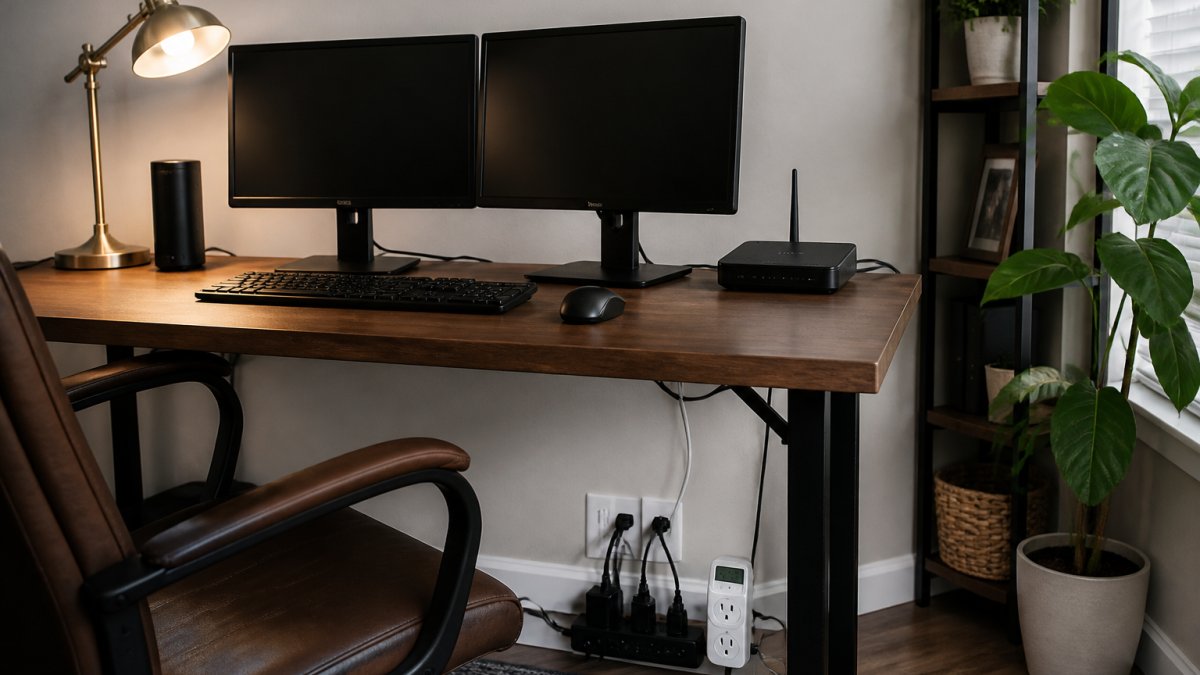
Here's the breakdown for a standard setup:
- Laptop: 45-65 watts
- Desktop tower: 200-500 watts
- Monitor (24-inch): 20-40 watts each
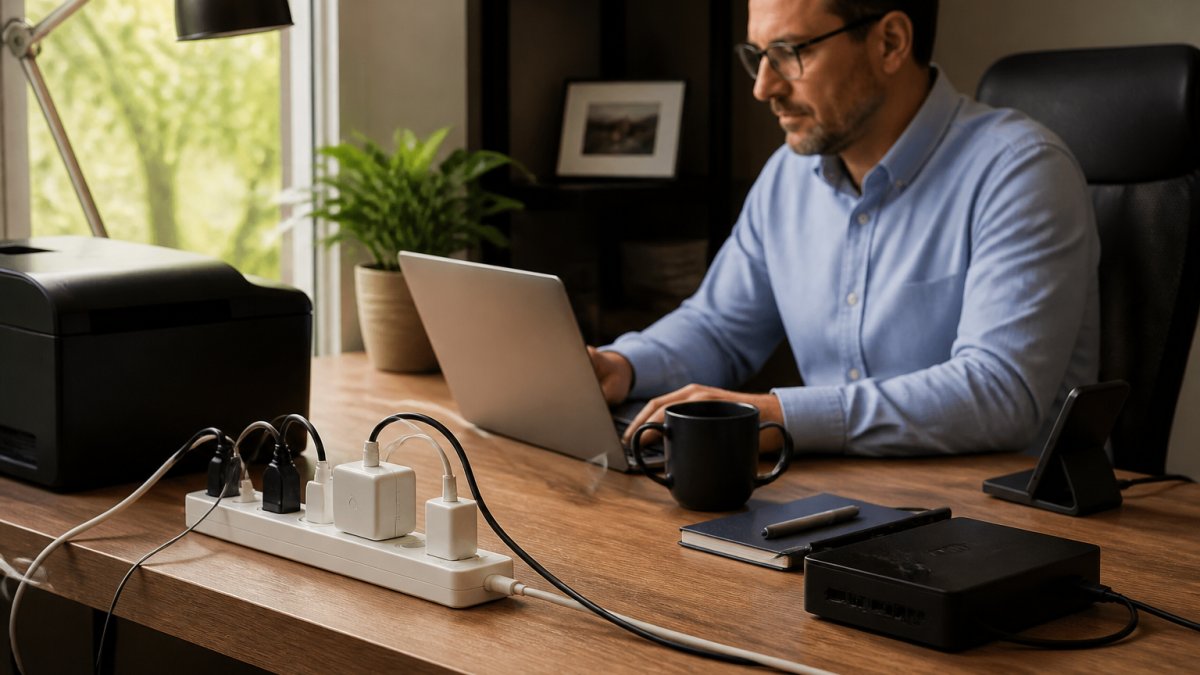
A laptop, one monitor, a lamp, and networking gear land around 100-150 watts. A full desktop with dual monitors pushes past 400 watts.
The difference matters when sizing a backup system: a 150-watt setup runs for hours on modest battery capacity, while a 500-watt setup drains it in a fraction of the time.
Typical Wattage of Common Home Office Equipment
| Device | Running Watts | Startup Surge |
|---|---|---|
| Laptop | 45-65 | 1.2x running |
| Desktop tower | 200-500 | 1.5x running |
| Monitor (24-inch) | 20-40 | 1.2x running |
| Router + modem | 10-20 | 1.1x running |
| Printer (laser) | 300-500 | 2-3x running |
| Space heater | 750-1,500 | 1x running |
Printers and heaters wreck most people's math: a laser printer surges hard when it warms up, and a space heater runs steady but high.
Build Your Device Inventory and Wattage List
Write down every device you use during a workday, including the small stuff. Most people forget the router, modem, and phone charger, 25-30 watts combined, and if your internet dies, your work stops.
Organize your inventory in five columns. The fifth is the one most guides skip, and it keeps your math honest:
- Device name (what it is)
- Running watts (normal use)
- Surge watts (startup spike, if any)
- Hours used per day (for daily energy use later)
- Duty cycle (what fraction of those hours the device actually draws full power)
Duty cycle matters because almost nothing pulls its rated wattage the entire time it's on. A laser printer idles at a few watts and only spikes during a print job; a desktop idles far below its nameplate rating.
How to Find the Wattage of Any Device
Start at the power adapter or the label on the device itself. Look for a line that says "Input" or "Output."
If you see volts (V) and amps (A), multiply them. Volts times amps equals watts.
Example: A monitor labeled "19V, 2.1A" draws about 40 watts.
Three cases trip people up:
- USB-C and USB-C Power Delivery chargers. The charger's label shows its maximum output, not what your laptop actually pulls. A 100W USB-C charger may power a laptop that only ever draws 65W. Use the laptop's rated input if you can find it, or measure it.
- Devices with no visible label. Some monitors, docks, and small peripherals hide the rating on the bottom or under a battery cover. If you still can't find it, use a plug-in watt meter.
- Power strips and surge protectors. These pass power through; they don't add load. Don't count the strip itself, but do count everything plugged into it.
No label at all? Use a plug-in watt meter. Plug the device in, run it normally for a few minutes, and read the display.
A Filled-In Example Worksheet
Here's a completed inventory for a typical remote-work setup. Use it as a template, then swap in your own devices and measured numbers.
| Device | Running watts | Surge watts | Hours/day | Duty cycle |
|---|---|---|---|---|
| Laptop | 55 | 65 | 8 | 0.6 |
| Monitor (24-inch) | 30 | 35 | 8 | 0.9 |
| Router + modem | 15 | 18 | 24 | 1.0 |
| LED desk lamp | 10 | 10 | 4 | 1.0 |
| Phone charger | 8 | 10 | 8 | 0.3 |
| Laser printer | 400 | 900 | 0.5 | 0.2 |
Add the running watts column: 55 + 30 + 15 + 10 + 8 + 400 = 518 watts, your running total if everything is on at once. The printer's 900-watt surge is the largest single spike, so peak load is 518 + 900 = 1,418 watts.
Keep this worksheet: the running total is for circuit checks, the peak load for backup sizing, and the hours and duty cycle columns for daily energy use.
Convert Watts to Amps and Estimate Daily Energy Use
Watts tell you power; amps tell you load on a circuit. To convert, divide watts by volts, standard U.S. household circuits run at 120 volts, so a 600-watt setup pulls 5 amps (600 ÷ 120 = 5). That matters because most home office circuits are 15 or 20 amps, and a 15-amp circuit handles about 1,440 watts of continuous load at 80% capacity, the safety limit most electricians use.
Why the 80% Rule Exists
The 80% figure isn't arbitrary. Running a circuit at its maximum current continuously builds heat in the wire and at the breaker terminals, so the National Electrical Code treats loads running three hours or more as "continuous" and limits them to 80% of the circuit rating.
Here's the conversion table for common office loads:
| Running watts | Amps at 120V | Fits a 15A circuit? | Fits a 20A circuit? |
|---|---|---|---|
| 150 | 1.25 | Yes | Yes |
| 400 | 3.3 | Yes | Yes |
| 800 | 6.7 | Yes | Yes |
| 1,200 | 10.0 | Yes | Yes |
| 1,440 | 12.0 | At the limit | Yes |
| 1,800 | 15.0 | No | Yes |
| 2,400 | 20.0 | No | At the limit |
If your running total lands above 1,440 watts, you're either sharing a circuit with other rooms or you need a dedicated circuit. That's a conversation for a licensed electrician, not a DIY fix.
Estimate Daily Energy Use in Kilowatt-Hours
For daily energy use, multiply running watts by hours used, then divide by 1,000 to get kilowatt-hours (kWh). A 400-watt setup running 8 hours uses 3.2 kWh, but apply the duty cycle column: at 60% full power, real daily use is 400 × 8 × 0.6 = 1,920 watt-hours, or 1.92 kWh.
Take our 60-second quiz for a free quote today! →
Here's a worked example using the worksheet from the previous section:
| Device | Running watts | Hours/day | Duty cycle | Daily watt-hours |
|---|---|---|---|---|
| Laptop | 55 | 8 | 0.6 | 264 |
| Monitor | 30 | 8 | 0.9 | 216 |
| Router + modem | 15 | 24 | 1.0 | 360 |
| LED lamp | 10 | 4 | 1.0 | 40 |
| Phone charger | 8 | 8 | 0.3 | 19 |
| Laser printer | 400 | 0.5 | 0.2 | 40 |
| Total | 939 watt-hours (0.94 kWh) |
That's the real daily energy number for this office, under 1 kWh, not the 3.2 kWh you'd get from naively multiplying running watts by hours.
Turn Energy Use Into a Cost Estimate
To estimate cost, multiply daily kWh by your electricity rate, check your bill for the exact number. At 15 cents per kWh, a 0.94 kWh day costs about 14 cents, or roughly $3 over a 22-day work month.
The U.S. Department of Energy's energy calculator guidance explains how watt-hours translate to real energy costs. It's a useful cross-check on your own math.
Home Office Wattage Calculator: Running Total and Peak Load
A home office wattage calculator is just a running total. Add up every device, then add a buffer for surges:
- Running total = sum of all device running watts
- Peak load = running total + largest single surge
- Safety buffer = peak load × 1.2
The buffer covers small unpredictable spikes and keeps your system off its ceiling.
Why Startup Surges Matter for Backup Power
Motors and compressors pull a burst of power when they start, hitting two to three times the running wattage. In a home office, the usual surge culprits are laser printers (heating element), mini-fridges, fans or space heaters with motors, and UPS units recharging after an outage. Size a generator or battery to your running total only and that surge can trip the system offline, always size to peak load.
How to Calculate Generator Size for a Home Office
To calculate generator size for a home office, match the generator's continuous rating to your peak load, then round up to the next standard size.
A simple sizing checklist:
- Add up running watts for all devices
- Find your largest surge device
- Add surge to the running total
A full desktop setup with a printer often lands in the 2,000 to 3,500 watt range; a laptop-only setup may need far less.
If you want whole-home coverage instead of just the office, that's a different calculation.
Home Battery Backup for Office Equipment
Home battery backup for office equipment works differently than a generator.
Capacity is measured in kilowatt-hours (kWh). One kWh runs a 100-watt load for 10 hours.
To size a battery, divide your daily watt-hours by the battery's usable capacity.
A 400-watt office running 8 hours needs 3.2 kWh. At 85% usable capacity, you'd want a battery rated around 3.8 kWh or higher.
Battery systems run silent and need no fuel. The U.S. Energy Information Administration's guide to home energy use breaks down how household electricity consumption works, which helps you compare battery capacity against real usage.
We install EcoFlow, Anker SOLIX, and Jackery systems across Middle Tennessee.
Circuit Safety and When to Consult a Licensed Electrician
Those are not "wait and see" signals. They're signs the circuit is already stressed.
A few more cases that warrant a professional look:
- You want to add a dedicated office circuit
- Your workspace shares a circuit with a kitchen or laundry room
- You're installing a transfer switch for a generator
Electrical code in your area governs how backup systems connect to your home. The National Fire Protection Association's electrical safety resources covers the standards behind those requirements.
At Generators of Nashville by Evolution Electric, our licensed electricians handle installation. You don't chase down paperwork or wonder whether the work passes inspection.
Frequently Asked Questions
How do I calculate the power needs of a home office?
List every device you plan to run, find its wattage on the label or manual, and add those numbers together. That total is your running load. Then identify devices with electric motors or compressors, such as printers or mini-fridges, and add their startup surge, which can be two to three times the running watts. The combined running and surge total tells you the minimum capacity your generator or battery must handle.
How many watts does a typical home office use?
A basic setup with a laptop, one monitor, modem, router, and LED lighting typically draws 100 to 300 watts. Add a desktop tower and a second monitor and you may reach 400 to 600 watts. Including a laser printer or a space heater can push the total to 1,000 watts or more. Measuring with a plug-in watt meter gives you the most accurate number for how many watts your home office uses.
Should I include startup watts when sizing backup power?
Yes. Devices with motors or compressors draw a brief surge when they start, often two to three times their running wattage. If your backup power cannot supply that surge, the device may fail to start or trip the system. Add the highest single surge to your running total rather than summing every surge at once, since most equipment rarely starts simultaneously.
Can a home battery power a home office during an outage?
A home battery backup for office equipment can keep a typical home office running for hours, depending on capacity and load. A 1 kWh battery running a 200-watt load lasts about five hours. Check that the battery's continuous output rating exceeds your total running watts and that its peak output handles startup surges. For longer outages or heavier loads, a whole-home standby generator paired with a battery offers more coverage.
Power outages don't wait for a convenient moment, and a system sized wrong will fail exactly when you need it most. If you'd rather skip the guesswork, our licensed electricians can calculate your home office power needs and match you with the right generator or battery system. We install Generac generators, solar arrays, and home battery systems from EcoFlow, Anker SOLIX, and Jackery, all backed by professional installation and a free quote. Take our 60-second quiz to get started.