 listicle
7 Best Battery Backup for Home Office in 2026
Table of Contents
- Why a Home Office Battery Backup Matters in 2026
- Quick Comparison: 7 Best Battery Backup for Home Office Picks
- The 7 Best UPS for Home Office Setups
- 1. CyberPower CP1500PFCLCD: Pure Sine Wave for Desktops
- 2. APC Back-UPS Pro BR1500MS2: Five-Year Battery for Network Gear
- 3. Eaton Tripp Lite SMART1500PSGLCD: 900W Output for Power-Hungry Rigs
- 4. CyberPower LE1000DG: Up to Three Hours for Essential Equipment
- 5. APC BE600M1: Budget Pick for Modest Home Networks
- 6. Amazon Basics Standby UPS 800VA: Value Standby Option
- 7. APC BX1500M and BR1500G: Reliable APC Alternatives
- Home Office Battery Backup Runtime: What to Expect Under Load
- How to Size a Battery Backup for a Home Office
- UPS vs. Portable Power Station: Which Fits Your Setup?
- Total Cost of Ownership and Battery Replacement
- Conclusion: Choosing the Right Battery Backup for Your Home Office
- Frequently Asked Questions
Last Updated: October 14, 2026
Why a Home Office Battery Backup Matters in 2026
A battery backup for home office equipment is a device that keeps your computer, router, and monitors running when the power drops. For anyone working remotely, that protection has become essential.
The stakes are higher than most people realize. A brief outage can corrupt an open file, drop a video call, and knock your network offline for minutes after the lights return.
Below, we break down the seven best battery backup for home office setups in 2026, with runtime expectations, sizing guidance, and a clear look at where a UPS ends and a portable power station begins.
Quick Comparison: 7 Best Battery Backup for Home Office Picks
The table below summarizes our seven picks by capacity and best use.
| Model | Capacity | Best For | Starting Price |
|---|---|---|---|
| CyberPower CP1500PFCLCD | 1500VA | Desktops needing pure sine wave | $190 |
| APC Back-UPS Pro BR1500MS2 | 1500VA class | Desktop, monitor, and network gear | Not listed |
| Eaton Tripp Lite SMART1500PSGLCD | 1500VA / 900W | Power-hungry desktop rigs | Not listed |
| CyberPower LE1000DG | 1000VA class | Essential equipment, up to 3 hours | Not listed |
| APC BE600M1 | 600VA | Budget home networks | $75 |
| Amazon Basics Standby UPS 800VA | 800VA | Value standby protection | Not listed |
| APC BX1500M and BR1500G | 1500VA class | Reliable APC alternatives | Not listed |
How We Evaluated These Battery Backup Units
We scored each unit on four factors: capacity and output, runtime under realistic office loads, power quality, and value. We also weighed outlet count, display quality, and battery replacement cost. Where the manufacturer publishes a watt-hour or watt rating, we used it. Where only a volt-ampere rating exists, we noted the gap, because VA and watts are not the same number.
The 7 Best UPS for Home Office Setups
Each pick below targets a slightly different home office. Read the "best for" line first, then check the runtime and outlet notes against your own gear.
1. CyberPower CP1500PFCLCD: Pure Sine Wave for Desktops
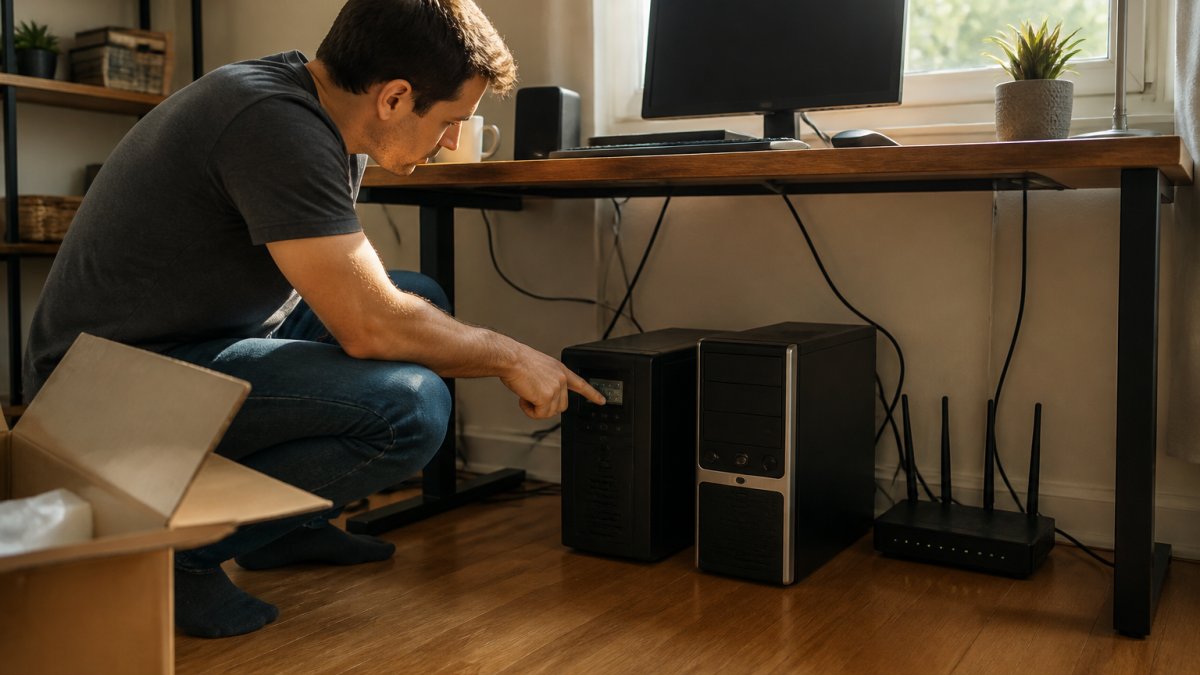
The CyberPower CP1500PFCLCD is our top pick for a desktop workstation because it delivers pure sine wave output, the cleanest power form for sensitive electronics. Search results consistently recommend it for desktop PCs and home use. Pure sine wave matters for equipment with active power factor correction, which many modern desktops use.
The 1500VA capacity covers a tower, monitor, and router comfortably.
Pros: Pure sine wave output; widely recommended for desktop use. Cons: Published runtime and outlet details are limited.
2. APC Back-UPS Pro BR1500MS2: Five-Year Battery for Network Gear
The APC Back-UPS Pro BR1500MS2 earns a spot for anyone running a desktop, monitor, and home network. The cited recommendation covers all three device types, and the search result highlights a five-year battery, which is longer than most standard replacements.
That longer battery life lowers your total cost of ownership over time.
Pros: Covers several common home-office devices; five-year battery noted. Cons: Price and detailed specs not published in our source.
3. Eaton Tripp Lite SMART1500PSGLCD: 900W Output for Power-Hungry Rigs
The Eaton Tripp Lite SMART1500PSGLCD stands out because its specifications are unusually clear: 1500VA, 900 watts, and pure sine wave output. That 900W figure is the real number that matters when you add up your load.
If you run a high-end desktop with a powerful graphics card, this is the pick to beat. Automatic operation is noted in the search result, so it works without manual intervention.
Pros: Both VA and wattage ratings stated; pure sine wave output. Cons: No pricing or runtime published in the supplied results.
4. CyberPower LE1000DG: Up to Three Hours for Essential Equipment
The CyberPower LE1000DG targets a different need: long runtime for a small load. A cited review reports it can keep essential equipment running for up to three hours. That figure depends entirely on what you plug in.
Run only your router, modem, and a laptop charger, and three hours is realistic. Add a desktop and monitor, and that number drops sharply. This is the unit for network continuity, not full workstation backup.
Pros: Up to three hours reported for essential gear. Cons: Runtime depends on connected equipment; no load specified in our source.
5. APC BE600M1: Budget Pick for Modest Home Networks
The APC BE600M1 is the budget entry on this list. The search result specifically calls it ideal for home use, and it is recommended for home-network protection.
For a router, modem, and a single laptop, this unit does the job at the lowest cost here. It will not carry a full desktop workstation, so match it to a light load.
Pros: Clear price point; recommended for home networks. Cons: No runtime or detailed capacity information in our source.
6. Amazon Basics Standby UPS 800VA: Value Standby Option
The Amazon Basics Standby UPS 800VA is a standby design, meaning it switches to battery only when power fails. A home-use roundup lists it as a value pick, and its 800VA rating is stated in the product name.
Standby units cost less but offer less protection than line-interactive models. For a modest setup where budget leads, it is a sensible choice.
Pros: Identified as a value pick; 800VA rating stated. Cons: Standby design offers less conditioning than line-interactive units.
Take our 60-second quiz for a free quote today! →
7. APC BX1500M and BR1500G: Reliable APC Alternatives
Two APC models round out the list. The BX1500M is a 1500VA-class UPS named as a battery-backup pick for PCs and home use. The BR1500G appears in a home-use roundup described as a reliability pick.
Both suit buyers who want a recognizable UPS line at the 1500VA tier. Neither came with published specs in our source, so confirm capacity and runtime before you commit.
Pros: Recognizable product line; BR1500G flagged as a reliability pick. Cons: No capacity, runtime, or pricing in the supplied results.
Home Office Battery Backup Runtime: What to Expect Under Load
Runtime is the number buyers care about most, and it is the number most listings hide. The reason is simple: runtime depends on your load. A UPS rated for three hours at a light load may last fifteen minutes at a heavy one.
Here is how runtime typically scales for a home office:
- Router and modem only: the longest runtime, often hours on a mid-size unit
- Laptop plus network gear: moderate runtime, since laptops draw little
- Desktop, monitor, and network gear: the shortest runtime, often minutes
The CyberPower LE1000DG is a good example. Its reported three-hour figure applies to essential equipment, not a full workstation. Size for the load you actually need, not the headline number.
How to Size a Battery Backup for a Home Office
Sizing a battery backup for a home office comes down to three steps: list your critical devices, total their wattage, and match that to a unit's watt rating, not its VA rating.
Follow this process:
- List every device you need to keep running during an outage.
- Find each device's wattage on its label or power supply.
- Add the watts together for your total load.
- Choose a UPS whose watt rating exceeds that total with headroom.
- Confirm the runtime at your load meets your needs.
For a typical setup, a router, modem, and monitor might total 100 to 150 watts. A full desktop tower can add several hundred more. Keep 20 to 30 percent headroom above your total so the unit is not running at its limit.
UPS vs. Portable Power Station: Which Fits Your Setup?
The choice between a UPS and a portable power station depends on outage length. A UPS handles seconds to minutes. A portable power station handles hours to days.
A UPS is built for instantaneous transfer. When power drops, it switches to battery in milliseconds, fast enough that your computer never reboots. Its job is to protect equipment and bridge short gaps.
A portable power station stores far more energy, often measured in watt-hours, and can run devices for hours.
For longer outages or whole-home protection, a professionally installed battery system is the durable answer.
Total Cost of Ownership and Battery Replacement
The purchase price is only part of the cost. Every UPS here relies on a sealed lead-acid or lithium-ion battery that degrades over time and needs replacement.
Factor these into your budget:
- Upfront price: the sticker cost, which ranges widely across this list
- Replacement battery: a recurring cost every few years
- Runtime loss: capacity fades gradually before the battery fails outright
A unit with a five-year battery, like the APC Back-UPS Pro BR1500MS2, spreads that cost over a longer window. A cheaper unit may need a new battery sooner. Weigh both numbers.
Conclusion: Choosing the Right Battery Backup for Your Home Office
The right battery backup for your home office depends on your load and your outage risk. A pure sine wave unit like the CyberPower CP1500PFCLCD covers a desktop. A budget pick like the APC BE600M1 protects a network. For outages that stretch for hours or days, a UPS is only the first layer.
That is where Generators of Nashville by Evolution Electric comes in. Our licensed electricians install whole-home battery systems, including E4G backup power, so your office never goes dark. We have served Middle Tennessee since 2014 and are authorized installers of Generac, EcoFlow, Anker SOLIX, and Jackery systems.
Frequently Asked Questions
What size battery backup do I need for a home office?
Add up the wattage of the devices you want to keep running: a typical desktop draws 150-300W, a monitor 30-60W, and a router/modem 10-20W. A 1500VA/900W unit like the Eaton Tripp Lite SMART1500PSGLCD covers most home-office loads with headroom. If you only need to protect a router and modem, an 800VA standby unit like the Amazon Basics model is enough. Match the VA rating to your total load plus a 20-30% buffer.
How long will a home office battery backup last during an outage?
Runtime depends on load. The CyberPower LE1000DG is cited for up to three hours when running essential equipment, but that drops sharply if you add a desktop and monitor. A 1500VA UPS typically gives 10-30 minutes for a full desktop setup, enough for a safe shutdown. For multi-hour backup of a laptop, router, and modem, a portable power station with higher watt-hours is the better fit.
What is the difference between a UPS and a portable power station?
A UPS switches to battery in milliseconds and is designed to ride out brief outages or give you time to save work and shut down. A portable power station stores far more energy (measured in watt-hours) and can run devices for hours, but it does not switch over instantly. For a home office, many people use a UPS on the desktop and router for instant protection, plus a power station for longer outages.
Can a battery backup keep Wi-Fi running during a power outage?
Yes. A router and modem together draw roughly 10-30W, so even a modest 600-800VA UPS can keep your network alive for 30 minutes to over an hour. The APC BE600M1 is specifically recommended for home-network use. If your internet provider's equipment also loses power, your Wi-Fi will stay up but the connection may drop, so check whether your modem is on the backup.
Do I need pure sine wave output for my home office equipment?
Pure sine wave output is safer for electronics with motors or active power factor correction, including many desktop power supplies and some monitors. The CyberPower CP1500PFCLCD and Eaton Tripp Lite SMART1500PSGLCD both list pure sine wave output. If you are backing up only a router and modem, a standard stepped-approximation UPS is usually fine and costs less.